



Antennas, Antenna Cables, Wireless Products: Technical Articles
MMCX Connector and MMCX Cables: What They Are and How to Choose the Right One
Table of Contents
MMCX Connector and MMCX Cables
If you've ever pulled a mini-PCI WiFi card out of a router board or tried connecting an external antenna to a compact GPS receiver, there's a good chance you've already encountered an MMCX connector — even if you didn't know what it was called at the time. That tiny snap-on port, barely wider than a pencil tip, is one of the most widely used RF connectors in compact wireless hardware. And yet it's one of the least talked about.
We've been supplying MMCX cables and connectors for over two decades, and we still get questions every week about this connector type. So here's a thorough, practical guide covering everything: what the MMCX connector is, how it compares to MCX, what the cables are made of, and which combinations you're most likely to need.
 MMCX Connectors and MMCX Cables
What Is an MMCX Connector?
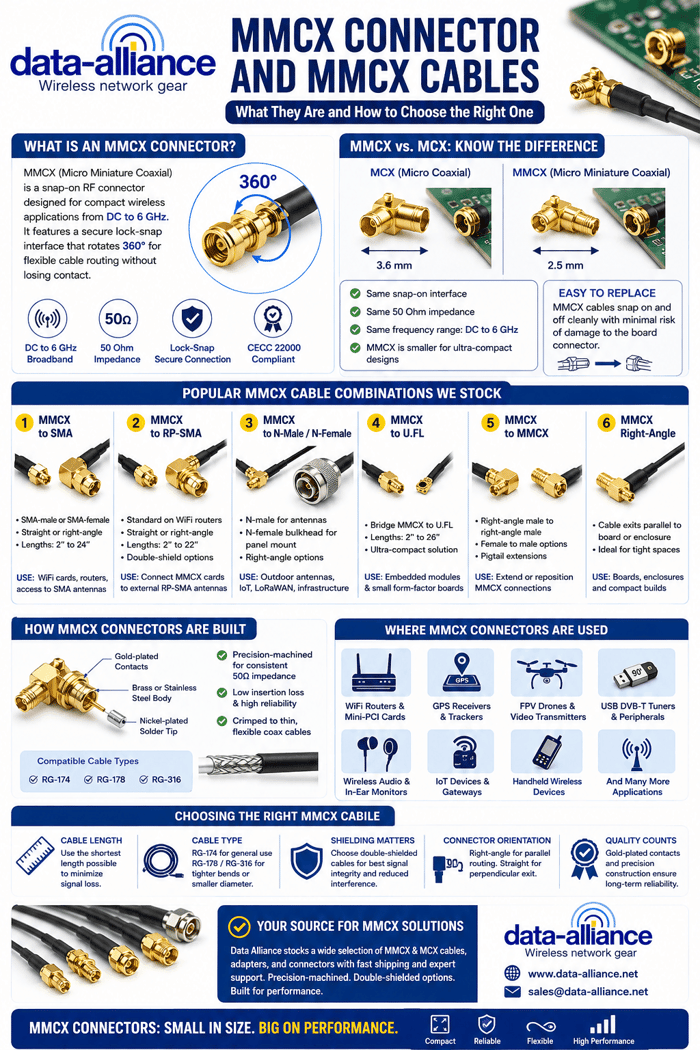
MMCX stands for Micro Miniature Coaxial. It's a radio frequency connector that was first developed in the 1980s and has remained a staple in compact wireless design ever since. The connector operates across a broadband frequency range from DC up to 6 GHz, making it suitable for WiFi, Bluetooth, GPS, LTE, and a wide range of other wireless protocols. Both MMCX and its slightly larger sibling MCX share a 50 Ohm impedance, which is the standard for most RF signal applications.
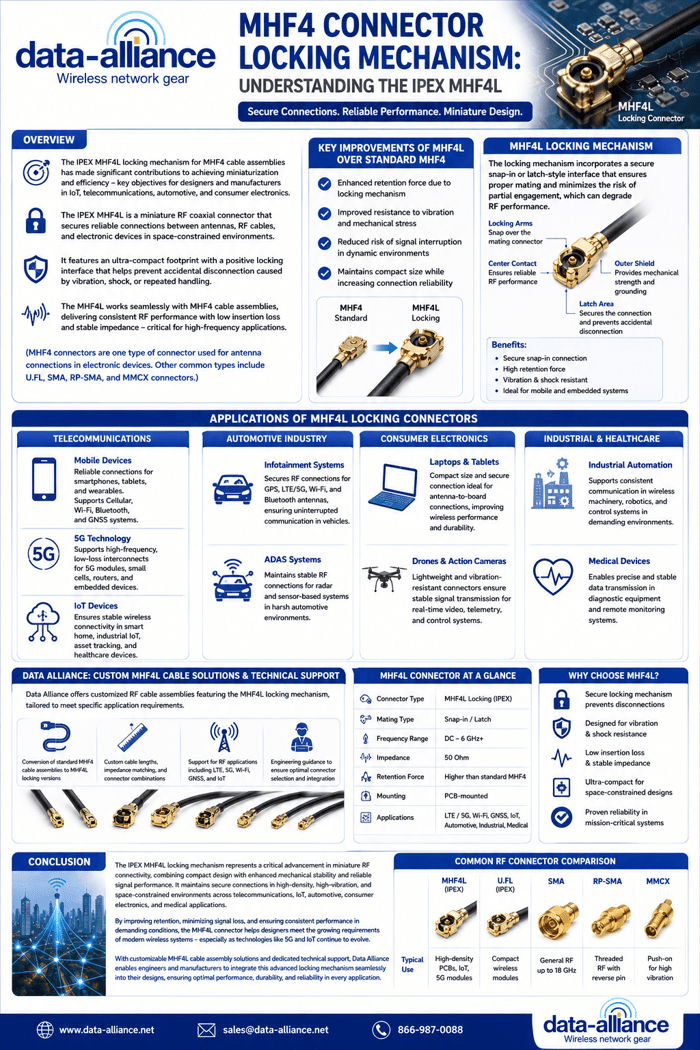
What makes the MMCX connector distinctive is its lock-snap interface. It clicks into place with a satisfying snap and allows the connected cable or antenna to rotate a full 360 degrees without losing contact. That rotational freedom is genuinely useful in tight enclosures where cable routing needs to flex without straining the connection. The MMCX connector conforms to the European CECC 22000 specification, which is a relevant quality and performance benchmark when sourcing components for professional or industrial applications. The European CECC 22000 specification is a technical standard developed under the CECC (CENELEC Electronic Components Committee), which was responsible for harmonizing electronic component standards across Europe.
MMCX vs. MCX: Understanding the Difference
MCX — Micro Coaxial — is the direct predecessor to MMCX. Both connectors share the same snap-on interface and the same 50 Ohm impedance. They cover the same frequency range. The key distinction is size. The MCX male connector has an outer diameter of approximately 3.6 mm, and it's already 30% smaller in diameter than a standard SMA connector. MMCX takes that miniaturization a step further, shrinking the footprint even more to support the increasingly compact hardware found in modern wireless devices.
In practical terms, MCX appears frequently on GPS receivers, USB DVB-T tuners for computers and laptops, and it was the external antenna port for the Apple Airport Extreme Base Station. MMCX tends to show up on even smaller boards — WiFi mini-PCI cards, FPV video transmitters, Ubiquiti router cards, and handheld wireless devices.
One important difference we point out to customers involves swappability. Replacing an MMCX cable is genuinely easy. It snaps on and off cleanly, with much less risk of damaging the board-side connector than working with U.FL, MHF4, or W.FL connectors. If you're building or maintaining hardware that will need antenna changes in the field, that ease of use has real value.
How MMCX Connectors Are Built
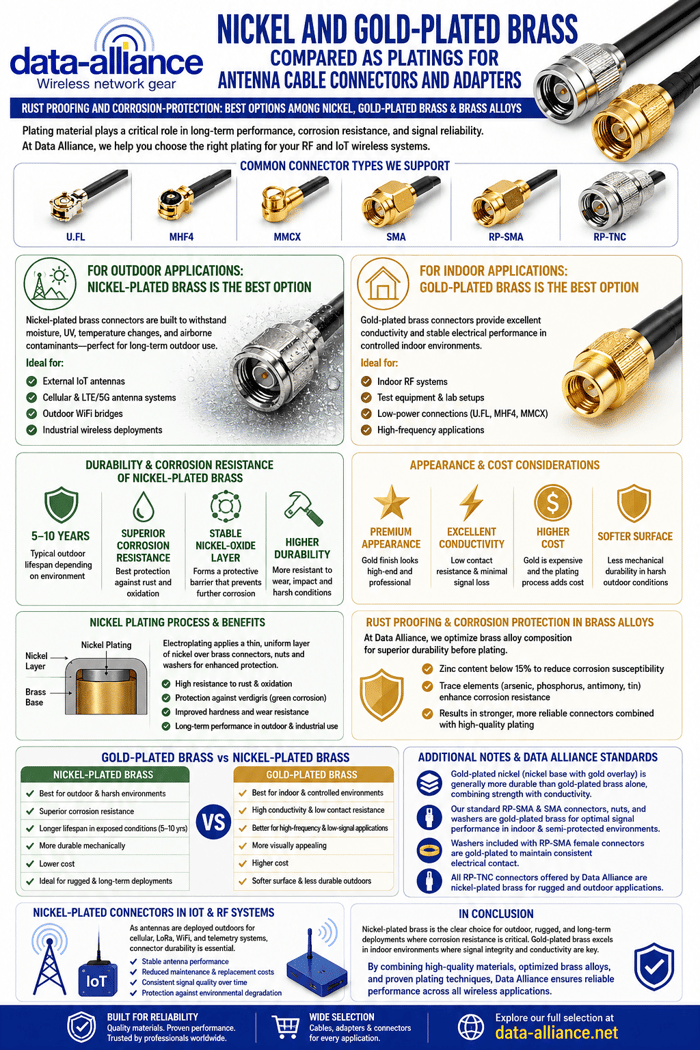
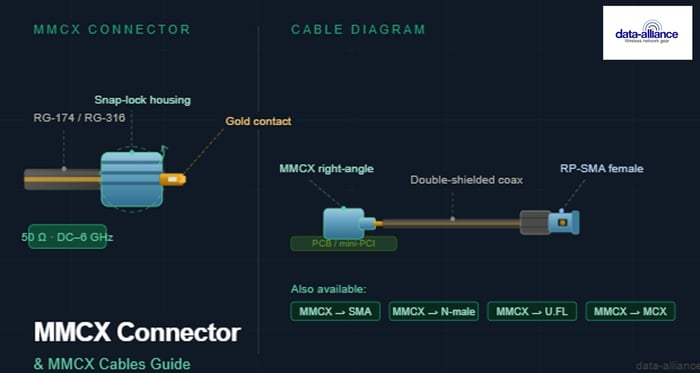
The materials used in MMCX connectors matter for signal integrity and durability. The connector body is typically machined from brass or stainless steel. Contacts are gold-plated, which provides excellent conductivity and corrosion resistance. Solder tips carry a nickel plating. Our MMCX connectors are precision-machined to maintain consistent impedance and minimize insertion loss.
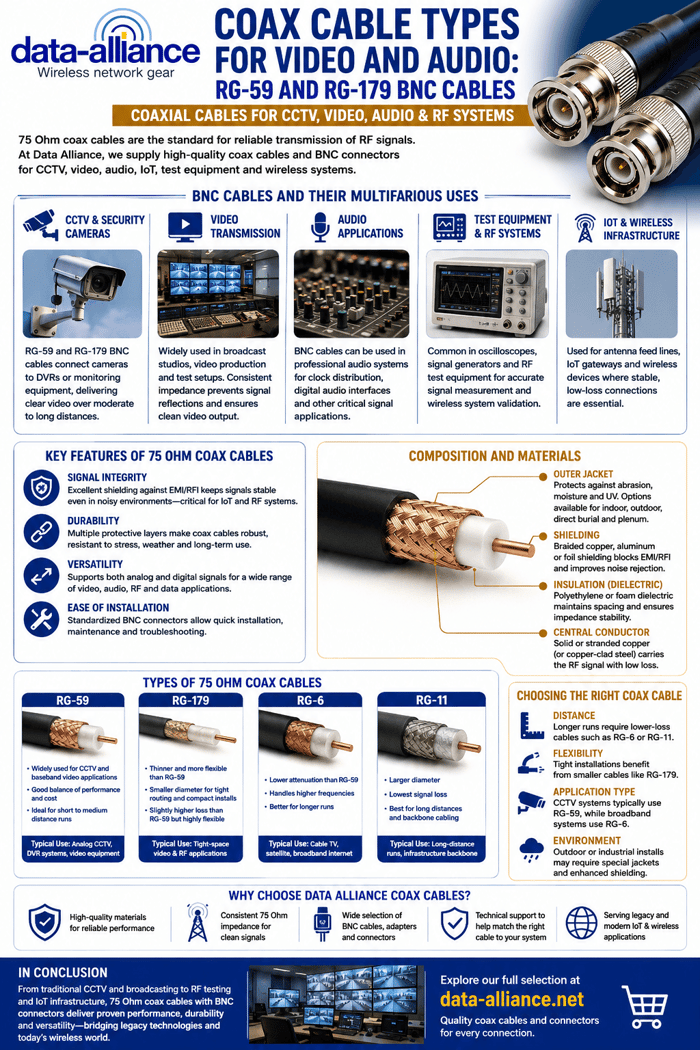
MMCX connectors can be crimped onto several coaxial cable types: RG-174, RG-316, and RG-178. These are all thin, lightweight, flexible cables — which is part of why MMCX has become such a common choice for portable and embedded wireless hardware. The cables flex comfortably in confined spaces and hold up to high-vibration environments without disconnecting or degrading.
MMCX connectors come in two orientations: straight and right-angle. Right-angle MMCX connectors are among our most requested configurations, precisely because they allow cable routing parallel to the board surface — essential in tight chassis builds.
MMCX Cable Combinations We Stock
Knowing the connector characteristics is one thing. Knowing which cable assembly, you actually need is another. Here are the configurations we get the most requests for, and the use cases they serve.
- MMCX to SMA Cables. This is one of the most common MMCX cable combinations. MMCX to SMA-female and MMCX to SMA-male right-angle cables bridge MMCX-equipped mini-PCI cards or router boards to standard SMA antenna ports. We carry these in lengths from 2 inches up to 24 inches, in both straight and right-angle MMCX configurations.
- MMCX to RP-SMA Cables. RP-SMA (Reverse Polarity SMA) is the standard connector on most consumer WiFi routers and access points. MMCX to RP-SMA cables are the go-to solution for connecting an internal WiFi card with an MMCX jack to an external RP-SMA antenna. We offer these in a wide range of lengths from 2 inches to 22 inches, with double-shield options for lower signal loss.
- MMCX to N-Male and N-Female Cables. N-type connectors are common on outdoor antennas, fiberglass omnis, and higher-power infrastructure equipment. MMCX right-angle to N-male cables allow a compact wireless card to feed signal out to a larger external antenna — a combination we see frequently in outdoor IoT deployments and LoRaWAN setups. MMCX to N-female bulkhead cables serve panel-mount applications where the connector needs to pass through an enclosure wall.
- MMCX to U.FL Cables. U.FL is another ultra-compact RF connector used on embedded modules and small form-factor boards. MMCX to U.FL cables bridge these two miniature connector standards when a design requires it. We carry these in lengths from 2 inches all the way up to 26 inches.
- MMCX to MMCX Cables. Sometimes the application calls for extending or repositioning an MMCX connection without switching connector types. Our MMCX-to-MMCX cables come in right-angle male on both ends, as well as MMCX female to MMCX male configurations — useful for pigtail extensions within compact enclosures.
Where MMCX Connectors Are Used
The range of applications is broader than most people realize. GPS receivers and PDAs were among the earliest widespread uses, and GPS remains a primary application today. WiFi mini-PCI cards in embedded routers and access points rely heavily on MMCX. FPV drone builders favor MMCX for video transmitters because the connectors are light, secure, and handle vibration well. Wireless audio equipment, in-ear monitors, USB DVB-T tuners, and computer peripheral devices all show up on the list too.
The through-line across all these applications is the same: compact hardware where space is limited, weight matters, and reliable RF connectivity is non-negotiable.
Choosing the Right MMCX Cable
Start with cable length. Longer cables mean more signal loss, so use the shortest length that your routing allows. For general use, RG-174 is a practical choice. If you need tighter bends or a smaller outer diameter, RG-178 and RG-316 are better options. Always choose double-shielded cable assemblies when signal integrity is a priority — our double-shielded MMCX cables reduce interference pickup significantly compared to single-shielded alternatives.
Choose right-angle MMCX when the connector exits parallel to a board surface or enclosure wall. Choose straight when the cable exits perpendicular. Getting the orientation right the first time saves a lot of rework.
Our MMCX Cables and Connectors
We've stocked MMCX cables and adapters since the early days of embedded wireless hardware, and we maintain a deep inventory across all the common connector combinations. All our MMCX connectors are precision-machined with gold-plated contacts. Our cables are double-shielded where noted and rated for both indoor and outdoor use.
If you're sourcing MMCX cables for a prototype, a production run, or a field repair, browse our full selection of MMCX and MCX cables and adapters to find the right configuration and length for your application.
In summary
MMCX connectors offer a compact, reliable, and versatile solution for modern RF applications where space, flexibility, and performance are critical. Their snap-on design, 360-degree rotation, and compatibility with a wide range of cable types make them especially valuable in embedded and portable wireless systems. Whether bridging to larger connectors like SMA or integrating within tightly constrained devices, MMCX remains a practical and durable choice. By understanding their construction, applications, and configuration options, users can confidently select the right MMCX cable assembly to ensure optimal signal integrity and long-term performance in their wireless designs.
FAQs
What does MMCX stand for?
MMCX stands for Micro Miniature Coaxial. It is a type of radio frequency (RF) connector designed for compact wireless hardware. The "micro miniature" designation reflects its significantly smaller footprint compared to standard RF connectors like SMA or even its direct predecessor, MCX.
What is the difference between MMCX and MCX connectors?
Both MMCX and MCX are snap-on RF connectors with 50 Ohm impedance operating from DC to 6 GHz. The primary difference is physical size — MCX has an outer diameter of approximately 3.6 mm, while MMCX is smaller still, making it better suited for highly compact hardware like WiFi mini-PCI cards and embedded modules. MCX is more common on GPS receivers and legacy devices like the Apple Airport Extreme, while MMCX appears more frequently on modern compact boards.
What frequency range does an MMCX connector support?
MMCX connectors support a broadband frequency range from DC up to 6 GHz. This makes them suitable for WiFi (2.4 GHz and 5 GHz), Bluetooth, GPS, LTE, and a range of other wireless protocols. The 50 Ohm impedance matches the standard used across most RF signal transmission systems.
What coaxial cables are compatible with MMCX connectors?
MMCX connectors can be crimped onto RG-174, RG-316, and RG-178 coaxial cables. All three are thin, lightweight, and flexible, which is a key reason MMCX is favored in portable and embedded devices. RG-178 and RG-316 offer a smaller outer diameter than RG-174, making them the better choice when routing through very tight spaces.
Can I use an MMCX connector outdoors?
Yes. MMCX cable assemblies are suitable for outdoor use, provided the cable jacket and connector construction are appropriate for the environment. Our double-shielded MMCX cables are rated for both indoor and outdoor installation. For direct weather exposure, we recommend additional weatherproofing at the connection point, particularly where cables pass through enclosure walls.
What is the difference between MMCX and U.FL connectors?
Both MMCX and U.FL are ultra-compact RF connectors used in embedded and portable wireless hardware, but they differ in key ways. U.FL connectors are even smaller and designed primarily for board-to-board connections inside sealed devices — they are not intended for frequent mating and unmating. MMCX connectors have a more robust snap-lock mechanism that allows easier field swapping without damaging the board-side jack. In our experience, MMCX is the better choice when an antenna connection will need to be changed or replaced periodically.
What devices commonly use MMCX connectors?
MMCX connectors appear across a wide range of compact wireless hardware. Common applications include WiFi mini-PCI and mini-PCIe cards, GPS receivers and PDAs, FPV video transmitters used in drones, USB DVB-T tuners, wireless audio equipment, in-ear monitors, and computer peripheral devices. The connector's small size, secure snap-lock, and vibration resistance make it well suited to any application where space is limited and reliability matters.
What is an MMCX right-angle connector used for?
An MMCX right-angle connector allows the cable to exit parallel to the board or enclosure surface rather than perpendicular to it. This is essential in compact chassis builds where a straight-exit cable would create too much height or interfere with other components. Right-angle MMCX connectors are among our most frequently ordered configurations, particularly in router builds and embedded IoT hardware.
Are MMCX and SMA connectors compatible?
MMCX and SMA connectors are not directly compatible — they are different connector types and cannot mate with each other. To connect an MMCX port to an SMA antenna or device, you need an MMCX to SMA cable assembly or adapter. We carry MMCX to SMA-female and MMCX to SMA-male right-angle cables in lengths ranging from 2 inches to 24 inches.
How do I choose the right MMCX cable length?
Use the shortest cable that your routing allows. Every additional inch of coaxial cable introduces signal loss, so keeping runs short preserves RF performance. Measure the actual path the cable needs to follow inside the enclosure — including any bends — and add a small margin for flexibility. For most embedded router and mini-PCI card applications, a cable between 4 and 14 inches covers the majority of installations.