


Antennas, Antenna Cables, Wireless Products: Technical Articles
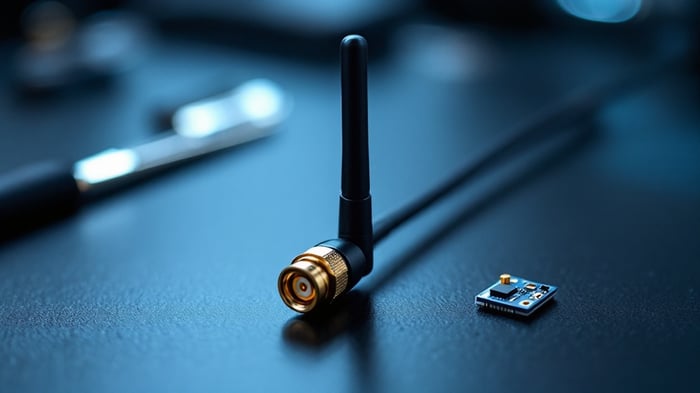
Bluetooth Antenna Guide: 2.4 GHz Types, dBi Gain, Connectors & How to Choose
A Bluetooth antenna is a 2.4 GHz antenna tuned to the 2400–2483.5 MHz ISM band that Bluetooth and Bluetooth Low Energy (BLE) share with Wi-Fi 2.4 GHz, Zigbee and many IoT radios. Choosing one comes down to four verifiable decisions: the antenna type (and its radiation pattern), realistic dBi gain for your range goal, the connector that mates to your radio or module, and the impedance/VSWR match of the whole RF path. This guide walks through each so IT professionals, integrators and network consultants can match an antenna to the deployment instead of guessing.
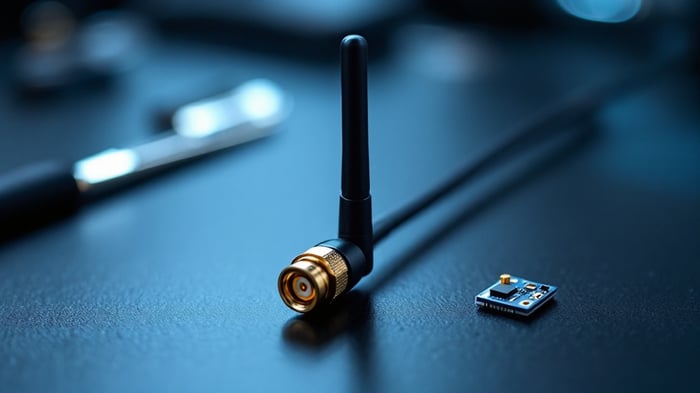
What a Bluetooth antenna has to do
Bluetooth operates in the 2.4 GHz ISM band, 2400–2483.5 MHz, using 40 BLE channels (or 79 channels for classic Bluetooth) with frequency hopping. Because it shares the band with Wi-Fi, a well-matched Bluetooth antenna and a clean RF path matter as much for reliability as for raw range. The antenna's job is to radiate and receive efficiently across that ~83.5 MHz-wide band while presenting a 50-ohm load to the radio. Since Bluetooth and 2.4 GHz Wi-Fi occupy the same spectrum, almost any antenna rated for the full 2.4 GHz ISM band will work for Bluetooth — the deciding factors are pattern, gain and connector, not a "Bluetooth-specific" design.
Integrated vs external antennas
Many Bluetooth modules ship with a PCB trace or chip antenna. Those are fine for short-range, in-enclosure links but offer little control over pattern or gain. When you need predictable coverage, longer range, or the radio sits inside a metal enclosure, move to an external antenna via a U.FL or MHF4 pigtail to a bulkhead connector. The decision tree below summarizes the selection path.
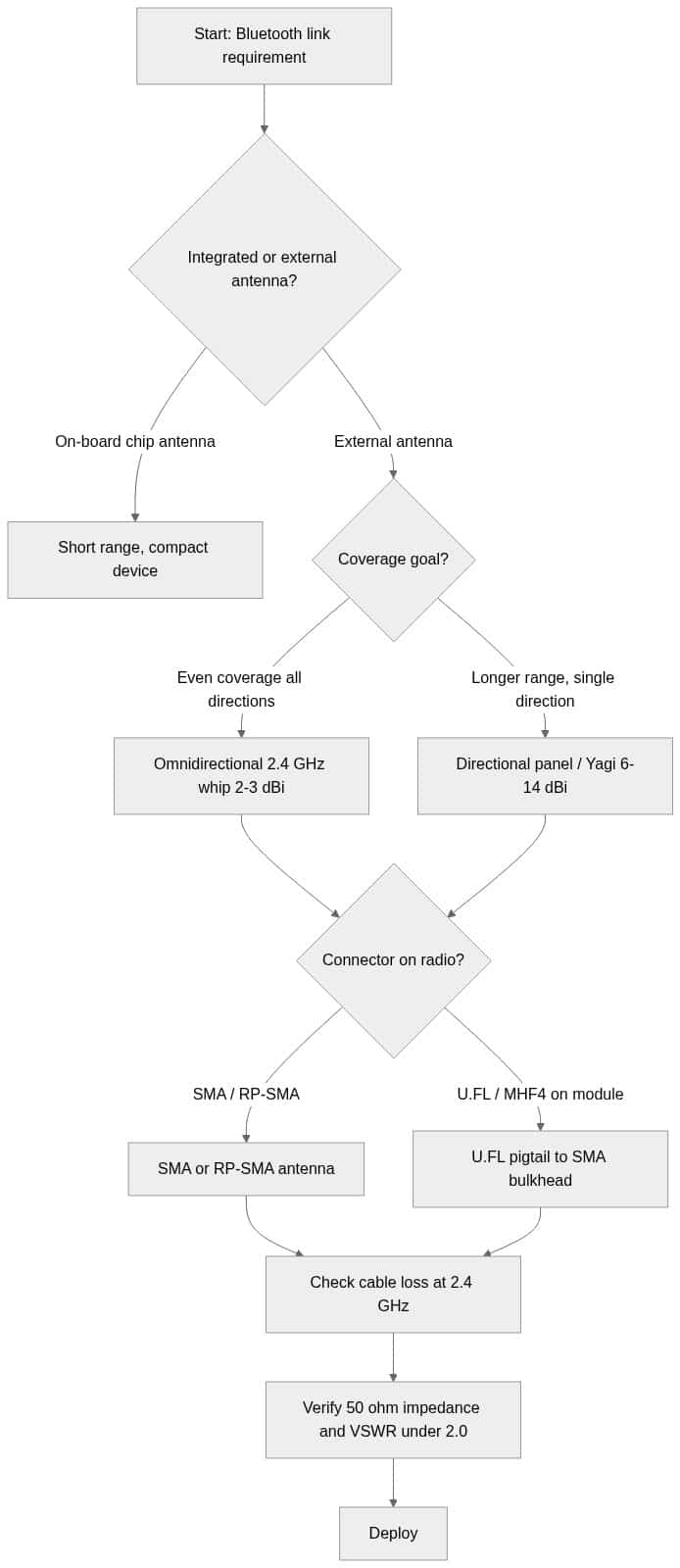
Bluetooth antenna types and realistic dBi gain
Gain is a trade-off, not a free upgrade: a higher-dBi antenna doesn't add energy, it reshapes the pattern — squeezing coverage into a narrower beam or a flatter doughnut. Pick the pattern that matches where your devices actually are. The figures below are typical ranges for 2.4 GHz products; always confirm the exact gain, pattern and band edges on the datasheet of the specific antenna you buy.
| Antenna type | Typical gain (2.4 GHz) | Pattern | Best for |
|---|---|---|---|
| PCB / chip (on-board) | 0–2 dBi | Roughly omni, uneven | Compact BLE devices, short range inside an enclosure |
| Omnidirectional whip (dipole) | 2–5 dBi | 360° horizontal doughnut | Even coverage around a hub or gateway |
| Rubber-duck / articulating | 2–3 dBi | Omni, tiltable | Access points, dongles, flexible orientation |
| Panel / patch (directional) | 6–9 dBi | Wide forward beam | Covering one zone or aisle from a wall |
| Yagi (directional) | 10–14 dBi | Narrow forward beam | Point-to-point or long single-heading links |
For most Bluetooth gateways and BLE beacons, a 2–3 dBi omnidirectional whip gives the most usable coverage. Reach for a directional panel or Yagi only when you need to push range on one heading — and remember a narrow beam means you must aim it. Our 2.4 GHz antenna guide goes deeper on how omni, panel and Yagi patterns behave in the shared 2.4 GHz band, which applies directly to Bluetooth.
Connectors: matching the Bluetooth antenna to your radio
The connector is where most Bluetooth antenna purchases go wrong. Match the gender and polarity to what's physically on the radio or module — a mismatch simply won't mate, and reverse-polarity variants look similar but are not interchangeable. All of these are 50-ohm RF connectors.
| Connector | Where you see it | Notes |
|---|---|---|
| SMA | Many 2.4 GHz antennas, bulkheads | Threaded, 50 ohm, rated well above 2.4 GHz; center pin on the male |
| RP-SMA | Consumer Wi-Fi/BT radios | Reverse-polarity; genders swapped vs standard SMA — verify before buying |
| U.FL (IPEX) | Compact BLE modules | Tiny board jack; use a U.FL pigtail to an SMA bulkhead for an external antenna |
| MHF4 | Newer small modules | Smaller than U.FL; not cross-mateable with U.FL |
If your module has a U.FL or MHF4 footprint and you want an external antenna, the cleanest approach is a short pigtail from the board jack to a panel-mount SMA bulkhead, then a standard SMA antenna outside the enclosure. For the full landscape of RF connectors and how they map to frequency and coax size, see our antenna connector types guide, and for the micro-coax side specifically, our U.FL connector guide covers mating cycles and 1.13 mm coax.
Impedance, VSWR and cable loss
Bluetooth radios are 50-ohm systems, so the antenna, any pigtail, connectors and cable should all be 50 ohm. A poor match shows up as elevated VSWR, which reflects power back toward the radio instead of radiating it. Aim for a VSWR of 2.0:1 or better across 2400–2483.5 MHz — that corresponds to roughly 90% of forward power delivered. If you're unsure what VSWR means for a real link, our VSWR explainer shows how it maps to return loss and reflected power, and how to lower a high reading.
Cable loss is the other budget line. At 2.4 GHz, thin micro-coax like RG-174 or 1.13 mm U.FL cable loses signal quickly, so keep those runs short; for any meaningful outdoor distance, step up to low-loss coax. Do not treat a published loss-per-foot figure as exact across vendors — verify the attenuation at 2.4 GHz on the specific cable's datasheet, since loss rises with frequency.
How to choose a Bluetooth antenna: a quick checklist
- Band: Confirm it covers the full 2400–2483.5 MHz ISM band.
- Pattern: Omni for all-around coverage; directional only when you can aim it.
- Gain: 2–3 dBi omni for most gateways; higher only to extend one heading.
- Connector: Match gender and polarity to the radio (SMA, RP-SMA, U.FL, MHF4).
- Impedance/VSWR: 50 ohm throughout; target VSWR ≤ 2.0:1 in-band.
- Cable: Keep micro-coax short; use low-loss coax for longer runs.
Ready to spec one? Browse our 2.4 GHz Bluetooth antennas for omnidirectional and directional options, and pair them with a custom-built pigtail or jumper from our antenna cables & adapters range. Need a non-standard length, connector combination, or connector gender? Request a custom quote or contact our technical support team — we manufacture cable assemblies to spec and ship same-day on orders placed before 4pm MST.
Frequently asked questions about Bluetooth antennas
Can I use a Wi-Fi 2.4 GHz antenna for Bluetooth?
Yes. Bluetooth and 2.4 GHz Wi-Fi occupy the same 2400–2483.5 MHz ISM band, so any antenna rated for the full 2.4 GHz band works for Bluetooth. Just match the connector and the radiation pattern to your use case. Note that dual-band 2.4/5 GHz antennas also cover the Bluetooth band, but you only need the 2.4 GHz portion for a Bluetooth-only link.
What connector do Bluetooth modules usually use?
Compact BLE modules most often use a U.FL (IPEX) or MHF4 board jack. To attach an external antenna, run a short pigtail from that jack to a panel-mount SMA or RP-SMA bulkhead, then connect a standard 2.4 GHz antenna. Larger radios often expose SMA or RP-SMA directly.
How much gain do I need for a Bluetooth antenna?
For typical gateway and beacon coverage, a 2–3 dBi omnidirectional antenna is the right starting point. Higher-gain omnis flatten the vertical pattern, which can hurt coverage for devices above or below the antenna. Use a directional panel or Yagi (6–14 dBi) only when you need extra range on a single heading and can aim the antenna.
Does a higher-dBi Bluetooth antenna always mean more range?
No. Gain reshapes the radiation pattern rather than adding energy. A high-gain omni concentrates power into a flatter doughnut, so it can extend horizontal range while reducing coverage directly above or below it. Match the pattern to where your devices actually are rather than chasing the biggest dBi number.
What VSWR should a Bluetooth antenna have?
Target a VSWR of 2.0:1 or better across 2400–2483.5 MHz, which delivers roughly 90% of forward power to the antenna. Keep the whole path at 50 ohm and confirm the in-band VSWR on the antenna's datasheet rather than assuming a broadband spec holds at 2.4 GHz.