


Antennas, Antenna Cables, Wireless Products: Technical Articles
2.4 GHz Antenna Guide: Types, dBi Gain, Connectors & How to Choose
A 2.4 GHz antenna is an RF antenna tuned to the 2400–2483.5 MHz ISM band — the same spectrum used by 2.4 GHz Wi-Fi (802.11b/g/n and the 2.4 GHz radio in Wi-Fi 6/6E/7), Bluetooth, Zigbee, and a large share of IoT and LoRa-adjacent radios. Choosing the right one comes down to four verifiable decisions: radiation pattern (omnidirectional vs directional), gain in dBi, connector type, and the cable loss between the antenna and your radio. Get those four right and coverage follows; get them wrong and you either waste range or radiate into the wrong direction.
This guide breaks each decision down with real specifications so IT pros, integrators, and network consultants can spec a 2.4 GHz antenna with confidence rather than guesswork.
What a 2.4 GHz antenna is used for
The 2.4 GHz band is unlicensed worldwide, which is why so many technologies share it. A 2.4 GHz antenna typically serves one or more of these systems:
- Wi-Fi (2.4 GHz): longer reach and better wall penetration than 5 GHz, at lower throughput.
- Bluetooth / BLE: 2402–2480 MHz, short-range device connectivity.
- Zigbee & Thread (802.15.4): low-power mesh IoT.
- Industrial telemetry and SCADA radios operating in the ISM band.
Because the band is congested, antenna choice and placement matter more than raw power. If your problem is interference rather than range, start by reading our guide on how to change your WiFi channel before adding hardware — a clean channel often beats a bigger antenna on 2.4 GHz.
2.4 GHz antenna types: omnidirectional vs directional
Every 2.4 GHz antenna trades coverage shape against gain. You cannot increase gain without narrowing the pattern somewhere — gain is focused energy, not free energy.
Omnidirectional antennas
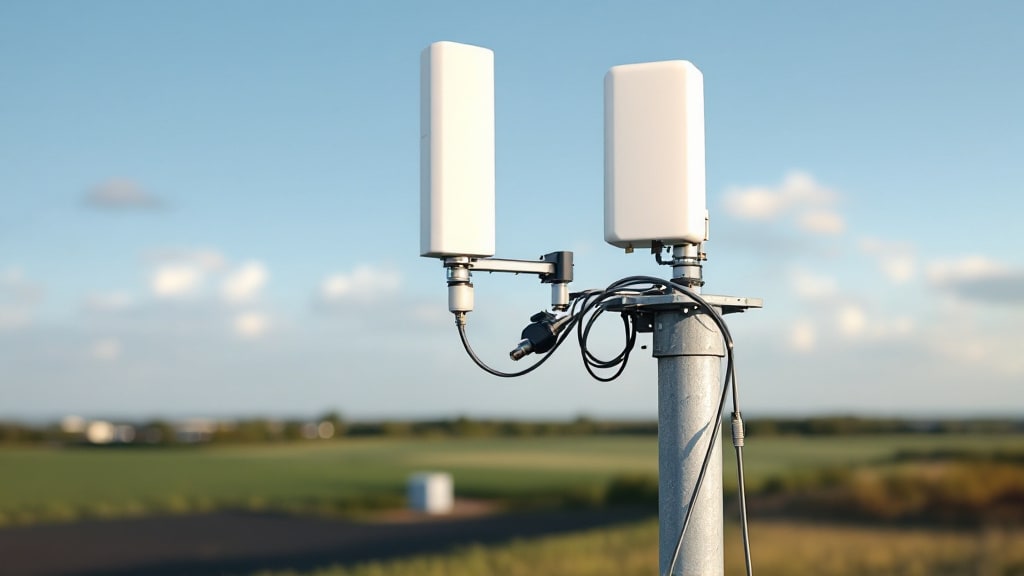
Omnidirectional antennas (rubber-duck dipoles, collinear whips) radiate a 360° doughnut pattern in the horizontal plane. They are the default for access points and routers that serve clients in all directions. Higher-gain omnis achieve more gain by flattening the vertical beamwidth — great for a single flat floor, poor for multi-story coverage where you need signal above and below.
Directional antennas (panel and Yagi)
Directional antennas concentrate energy into a beam. Panel/patch antennas give a wide forward sector (typically 30°–90°), while a Yagi focuses a narrow beam for point-to-point links and long hauls. If you are building a directional or long-range 2.4 GHz link, our Yagi antenna guide covers how element count, beamwidth, and gain interact so you can size the antenna to the distance.
How to choose a 2.4 GHz antenna: decision flow
Work through coverage shape first, then gain, then connector, then feedline. The flowchart below maps that sequence:
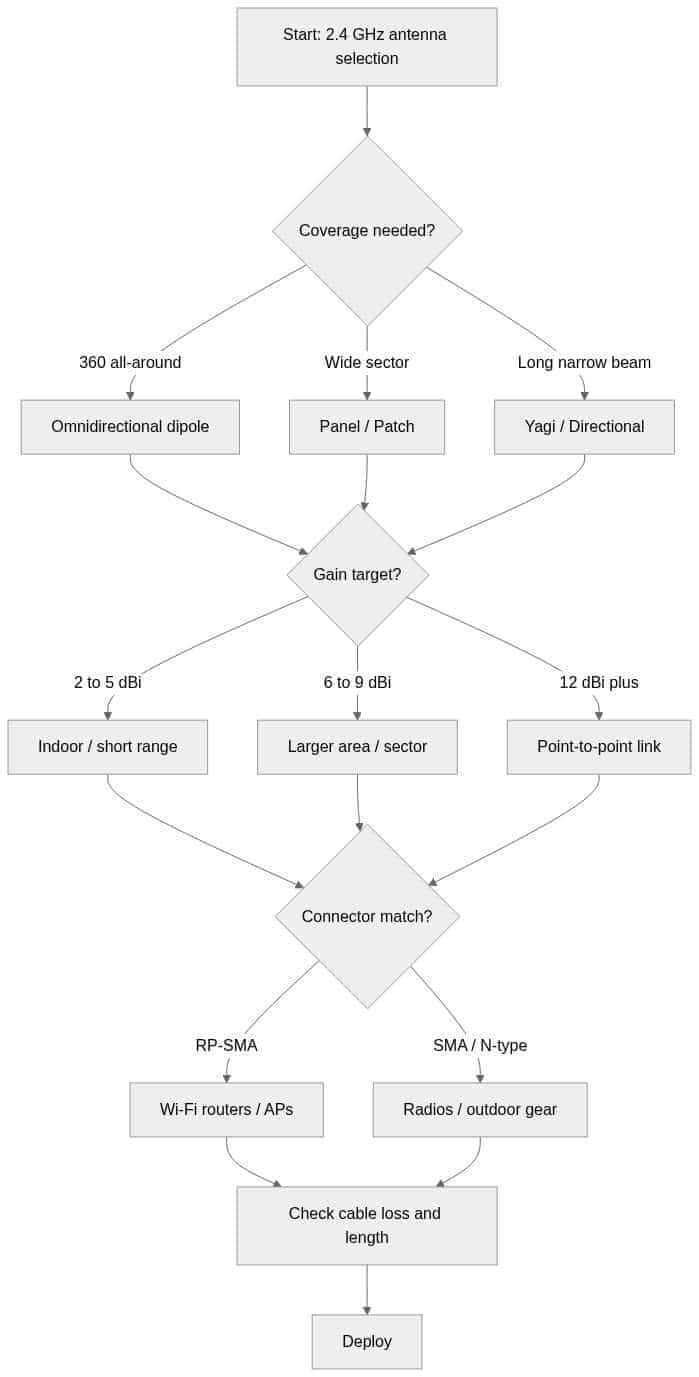
2.4 GHz antenna types compared
The table below gives typical, representative figures for common 2.4 GHz antenna types. Treat gain and beamwidth as guidance — always confirm the exact numbers on the datasheet of the specific model you buy, since designs vary.
| Type | Pattern | Typical gain | Typical H-beamwidth | Best use |
|---|---|---|---|---|
| Rubber-duck dipole | Omni (360°) | 2–5 dBi | 360° | Routers, APs, indoor client coverage |
| Collinear / high-gain omni | Omni (360°) | 6–9 dBi | 360° (narrow vertical) | Single-floor or outdoor 360° coverage |
| Panel / patch | Directional | 7–14 dBi | ~30°–90° | Sector coverage, wall-mounted rooms |
| Yagi | Directional | 10–18 dBi | ~20°–40° | Point-to-point, long-range links |
| Parabolic / grid | Highly directional | 18–24 dBi | <15° | Long-haul point-to-point backhaul |
Connectors: match the antenna to your radio
A 2.4 GHz antenna is only useful if it mates with your equipment. The most common gotcha on 2.4 GHz Wi-Fi gear is reverse-polarity: consumer and enterprise Wi-Fi routers/APs overwhelmingly use RP-SMA, while many radios, cellular modules, and outdoor units use standard SMA or N-type. RP-SMA and SMA look nearly identical but do not mate correctly — verify the gender and polarity before ordering.
- RP-SMA: the de facto standard on Wi-Fi routers and access points.
- SMA: common on radios, IoT modules, and many antennas.
- N-type: larger, weatherproof, low-loss — typical on outdoor and higher-power antennas.
- U.FL / MHF: tiny board-level connectors on embedded modules, usually pigtailed out to RP-SMA/SMA.
All of these are 50 Ω. If you need to convert or extend, see our full breakdown of antenna connector types (SMA, RP-SMA, N-type, U.FL, MHF4 and more) to pick the correct adapter or pigtail. Data Alliance also custom-manufactures cable assemblies with the exact end connectors you need — browse antenna cables & adapters or request a custom quote.
Gain and cable loss: the link budget on 2.4 GHz
Gain in dBi is only half the equation — the coax between antenna and radio subtracts from it. At 2.4 GHz, cable loss climbs steeply, so a long run of thin coax can erase the benefit of a high-gain antenna. Rough, representative attenuation at 2.4 GHz (verify against the specific cable's datasheet):
- RG-174 / thin pigtail coax: very high loss — keep these runs to inches, not feet.
- LMR-240-type: moderate loss, good for short jumper runs.
- LMR-400-type: roughly ~6.8 dB per 100 ft at 2.4 GHz — the workhorse for longer outdoor runs.
Practical rule: mount the antenna close to the radio and keep the feedline as short as the install allows. When a long run is unavoidable, step up to lower-loss coax rather than accepting the loss. Our antenna cable selection guide gives loss-per-foot figures and a selection flow so you can size the coax to your link budget. For the cable itself, order a custom-length assembly and avoid coiling excess coax.
Placement tips for 2.4 GHz coverage
- Mount omnidirectional antennas vertically for horizontal (floor-plane) coverage; polarization mismatch costs real signal.
- Raise antennas above obstructions — 2.4 GHz penetrates walls better than 5 GHz but still attenuates through concrete and metal.
- For point-to-point, aim directional antennas on both ends and keep the line-of-sight (and Fresnel zone) as clear as possible.
- Separate the 2.4 GHz antenna from strong interferers (microwaves, dense Bluetooth, other APs) and choose a clean channel.
Shop 2.4 GHz antennas at Data Alliance
Data Alliance stocks omnidirectional, directional, and dual-band 2.4 GHz antennas, plus the connectors and custom cable assemblies to integrate them. Browse WiFi antennas to add the right 2.4 GHz antenna to your cart, or request a custom quote for a cable assembly built to your exact connectors and length. Orders placed before 4pm MST ship same day.
Frequently asked questions about 2.4 GHz antennas
What frequency range does a 2.4 GHz antenna cover?
A 2.4 GHz antenna is designed for the 2400–2483.5 MHz ISM band. That covers 2.4 GHz Wi-Fi channels 1–14 (region-dependent), Bluetooth (2402–2480 MHz), and Zigbee/Thread (802.15.4). Many antennas are marketed as dual-band and also cover the 5 GHz Wi-Fi bands — check the datasheet if you need both.
Is a higher dBi 2.4 GHz antenna always better?
No. Higher gain narrows the beam. A high-gain omnidirectional antenna flattens its vertical pattern, which can leave devices above or below the antenna with weaker signal. Match gain to your coverage shape: modest gain for all-around indoor coverage, high gain only when you need to reach in a specific direction.
What is the difference between RP-SMA and SMA on a 2.4 GHz antenna?
They are different connector standards that look similar but are not cross-compatible. Wi-Fi routers and access points almost always use RP-SMA (reverse polarity), while many radios and modules use standard SMA. Confirm both the type and gender before ordering, or use an adapter.
How much cable loss should I expect at 2.4 GHz?
Loss rises with frequency, so 2.4 GHz is lossier than sub-GHz bands. Thin pigtail coax like RG-174 is very lossy over any real distance, while LMR-400-type coax loses on the order of ~6.8 dB per 100 ft at 2.4 GHz. Always verify against the exact cable's datasheet and keep runs short.
Can I use a 2.4 GHz antenna for Bluetooth or Zigbee?
Yes. Bluetooth, BLE, Zigbee, and Thread all operate within the 2.4 GHz ISM band, so a properly matched 2.4 GHz antenna with the correct connector and 50 Ω impedance will work for those radios as well as Wi-Fi.