


Antennas, Antenna Cables, Wireless Products: Technical Articles
Antenna Cable Selection Guide: Coax Type, Connector, Length & Signal Loss
Choosing an antenna cable comes down to four decisions that interact with each other: the coax type, the connectors on each end, the length of the run, and how much signal loss your link budget can absorb. Get those four right and the cable disappears into the system as a near-neutral pathway; get them wrong and you can throw away several dB before the signal ever reaches the radio. This guide walks technical buyers — installers, integrators, and network consultants — through each decision with real specifications, not marketing gain claims.
What an antenna cable actually is (and why it is not neutral)
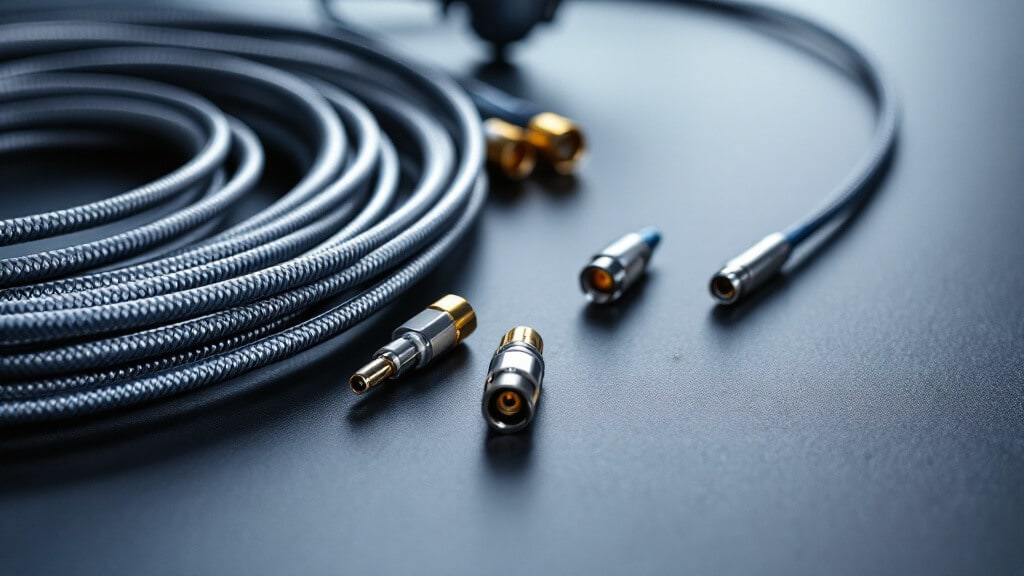
An antenna cable is a length of 50-ohm coaxial cable terminated with RF connectors that carries signal between a radio and an antenna. In an ideal world it would be lossless and perfectly matched. In practice, every foot of coax attenuates the signal, and that attenuation rises with frequency. A cable that loses 1 dB at 900 MHz can lose 2 to 3 times as much at 5.8 GHz over the same length. Because the cable sits in the path in both transmit and receive directions, its loss is subtracted from your effective radiated power and again from your receive sensitivity — so cable loss is one of the highest-leverage variables in the whole RF chain.
The four decisions in an antenna cable selection
1. Coax type: trade diameter and loss against flexibility
Thicker coax with better dielectric and shielding has lower loss but is stiffer, heavier, and needs a larger bend radius. Thinner coax is easy to route through tight enclosures but attenuates far more per foot. The table below gives approximate attenuation figures for common 50-ohm coax types. Treat these as typical reference values — always verify the exact loss and impedance against the datasheet for the specific cable you order, because construction varies between manufacturers.
| Coax type | Approx. dia. | Approx. loss @ 2.4 GHz | Best use |
|---|---|---|---|
| U.FL / 1.13 mm micro-coax | ~1.13 mm | High (short pigtails only) | Internal module-to-antenna jumpers, IoT, M.2/mini-PCIe |
| RG-174 | ~2.8 mm | High | Short flexible jumpers under ~1 m |
| LMR-200 (class) | ~4.9 mm | Moderate | Mid-length indoor runs, tight routing |
| LMR-400 (class) | ~10.3 mm | Low | Long runs, outdoor, rooftop, point-to-point |
The practical rule: keep high-loss thin coax as short as possible, and switch to low-loss coax such as the LMR-400 class the moment your run gets long or goes outdoors. For a deeper look at where the loss goes and how the three LMR grades compare across bands, see our breakdown of how to choose the best coaxial cable for Wi-Fi and LTE antenna installations.
2. Connector: match the radio, the antenna, and the frequency ceiling
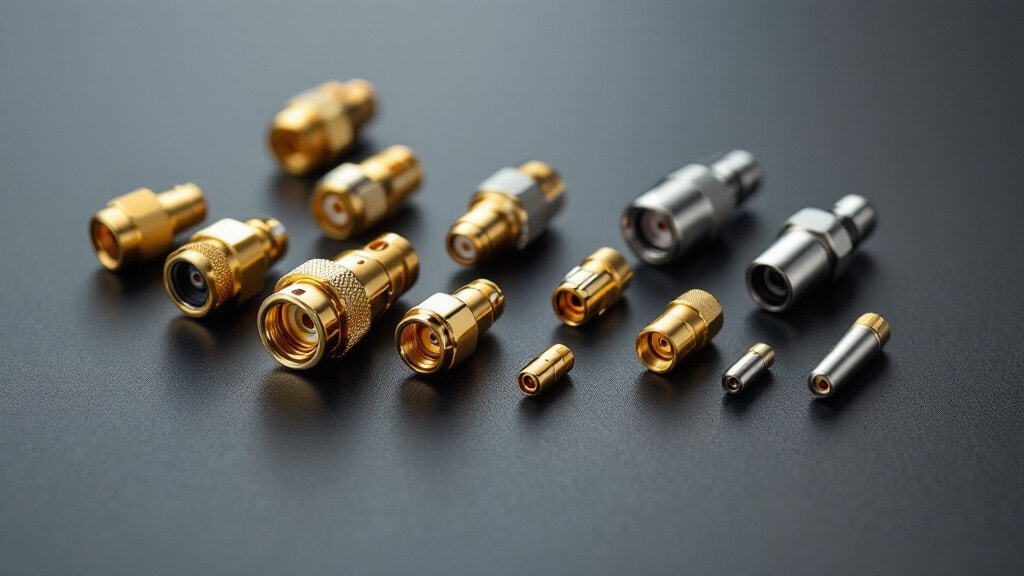
The connector is dictated by what is on your equipment, but it also caps your usable frequency and affects durability. A quick mapping for technical buyers:
- RP-SMA — the de facto standard on consumer/enterprise Wi-Fi APs and routers (reverse-polarity was mandated to differentiate consumer gear).
- SMA — cellular, GPS, LoRa, IoT modules and most screw-on whip antennas; usable well into the multi-GHz range.
- N-Type / TNC — outdoor, higher-power, and long-run terminations where a robust, weather-tolerant connection matters.
- U.FL / MHF4 — board-level micro connectors for compact modules; fragile and rated for very few mating cycles, so terminate once and leave them.
If you are unsure which connector your build needs — or how to adapt between two of them without stacking loss — start with our full guide to antenna connector types (SMA, RP-SMA, N-Type, TNC, U.FL, MHF4 and more). For the specialized micro-coax used in the smallest jumpers, the comparison of U.FL cable coax types (1.13 mm, 1.32 mm, 1.37 mm, RG-174, RG-178) covers the diameter-versus-loss trade in detail.
3. Length: order the shortest run that reaches
Cable loss scales with length, so every extra foot you do not need is signal you are throwing away in both directions. Measure the actual path, add a small service loop for strain relief and future re-termination, and order to that length rather than buying a long stock cable and coiling the excess — a tight coil of coax adds loss and can behave unexpectedly at RF. This is exactly why custom-length assemblies matter: they let you hit the run length precisely instead of compromising.
4. Signal loss and impedance: keep the system at 50 ohm and low VSWR
Two numbers govern how cleanly the cable passes signal: attenuation (loss, in dB) and impedance match (expressed as VSWR or return loss). Almost all wireless data systems are 50-ohm, so every element — antenna, cable, connectors, adapters — should be 50-ohm to avoid reflections. A mismatch shows up as elevated VSWR, which wastes transmit power and can stress the radio. As a working target, aim to keep system VSWR below roughly 1.5:1 across your operating band, and verify it rather than assuming it. Our explainer on VSWR and impedance matching in antennas and antenna cables covers how reflection, return loss, and mismatch loss relate. Note that video and CCTV runs are the exception — those are 75-ohm; see BNC cables: 50-ohm vs 75-ohm distinctions before mixing the two.
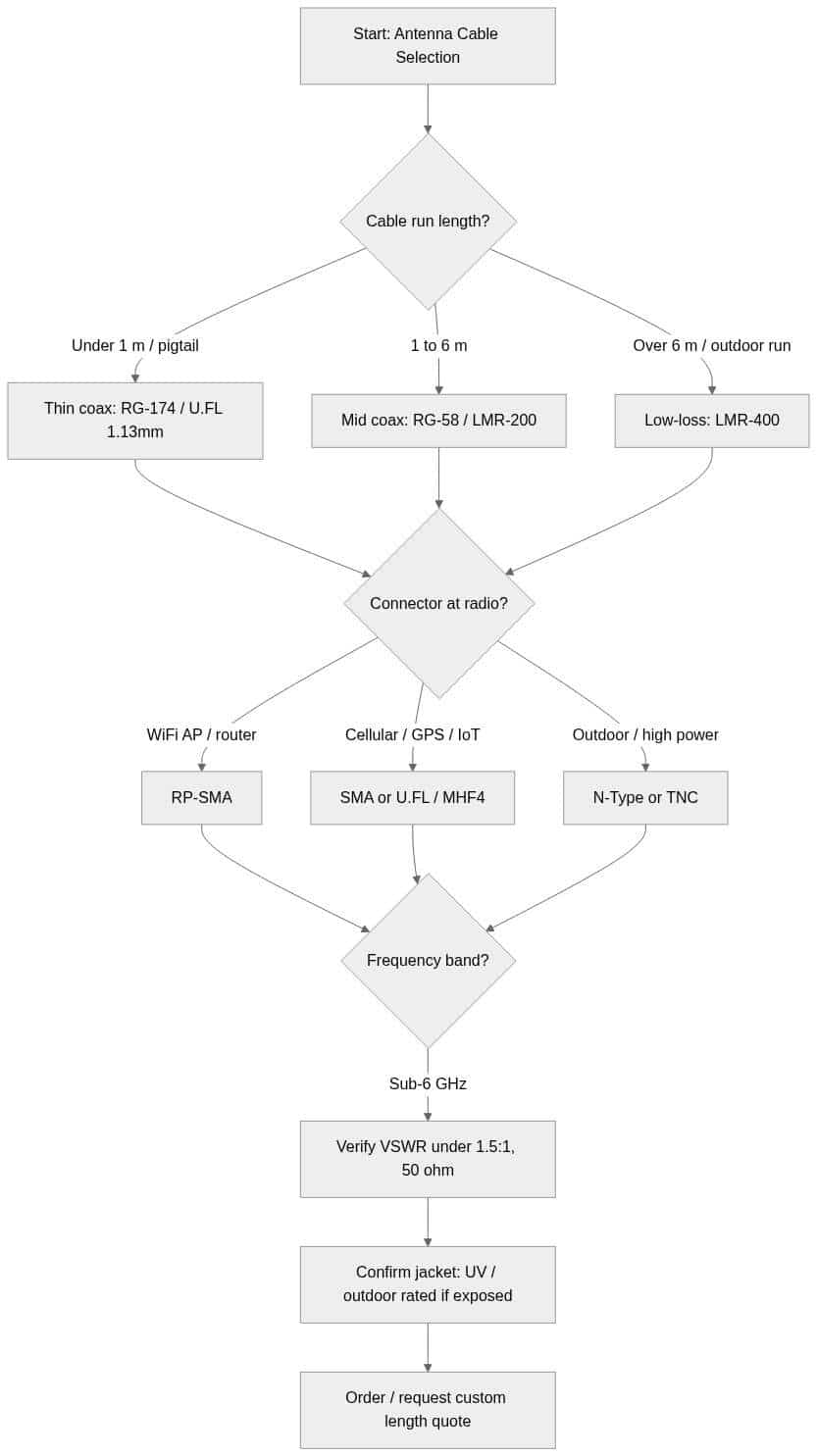
Antenna cable selection flow
The diagram below condenses the four decisions into a single path — from run length, to coax choice, to connector, to the final VSWR and jacket check before you order.
Outdoor runs: the jacket matters as much as the coax
For exposed installations, the outer jacket determines how long the cable survives UV, temperature cycling, and moisture. A cable with the right electrical spec but the wrong jacket will degrade and start leaking signal within a couple of seasons. Confirm the jacket is UV-stabilized and rated for the temperature range of the site, and weatherproof every outdoor connector junction. Grounding and lightning protection are non-negotiable on rooftop and tower runs.
Buy the right antenna cable — or have one built to length
Data Alliance manufactures custom antenna cables to your exact length and connector configuration, so you can specify the coax grade and terminations instead of settling for a stock part. Browse the full range on the antenna cables and adapters catalog, or go straight to N-type cables and adapters for outdoor and long-run terminations. Not seeing the exact assembly you need? Request a custom quote and we will build it to spec — with same-day shipping on orders placed before 4 pm MST.
Frequently asked questions
What is the best coax for a long outdoor antenna cable run?
For runs beyond roughly 6 meters or any outdoor installation, an LMR-400-class low-loss coax is the usual choice because it has the lowest attenuation per foot in its size class. Pair it with N-type or TNC connectors for a robust, weather-tolerant termination, and verify the jacket is UV-rated.
How much signal does an antenna cable lose?
It depends on the coax type, length, and frequency. Thin coax like RG-174 loses several dB in just a meter or two at Wi-Fi frequencies, while LMR-400-class cable loses much less over the same distance. Loss also rises with frequency, so always check the datasheet loss figure at your actual operating band rather than a headline number.
Are all antenna cables 50-ohm?
Almost all wireless data, cellular, GPS, Wi-Fi, and IoT antenna cables are 50-ohm, and every component in that chain should match to keep VSWR low. The main exception is video and CCTV, which use 75-ohm coax such as RG-59 with BNC connectors — do not mix the two impedances in one signal path.
Can I just use a long cable and coil up the extra length?
It is better to order the cable to the length you actually need. Excess coax adds unnecessary loss in both directions, and a tightly wound coil can affect performance at RF. A custom-length assembly avoids both problems and keeps your link budget clean.
What connector do I need for my antenna cable?
Match the connectors to your radio and antenna. Wi-Fi access points and routers typically use RP-SMA; cellular, GPS, LoRa, and IoT modules typically use SMA or U.FL/MHF4; outdoor and higher-power runs use N-type or TNC. If you need to bridge two connector types, use a single quality adapter rather than stacking several.