


Antennas, Antenna Cables, Wireless Products: Technical Articles
Lightning Surge Protector for Antenna & Coax Lines: How to Choose and Install One
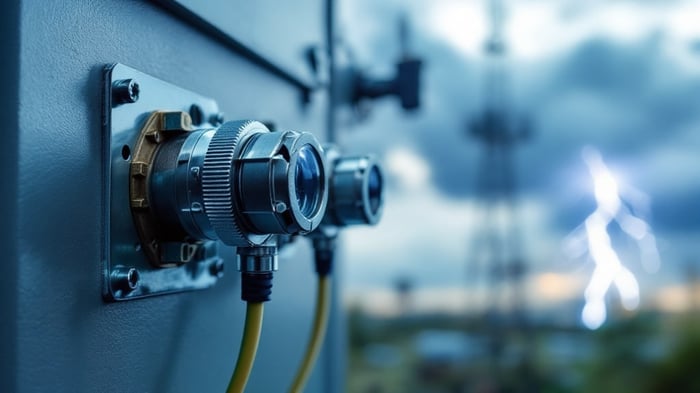
A lightning surge protector — also called a coax surge arrestor or RF lightning arrestor — is an in-line device that diverts induced voltage surges and static buildup from an antenna feedline to ground before they reach your radio, router, or gateway. It will not stop a direct strike to the tower, but it is the single most cost-effective piece of protection for any outdoor antenna run, and it belongs on every coax line that leaves a building. This guide explains the two main designs, how to match a lightning surge protector to your system by connector and frequency, the specs that actually matter, and how to ground it correctly.
What a lightning surge protector actually does
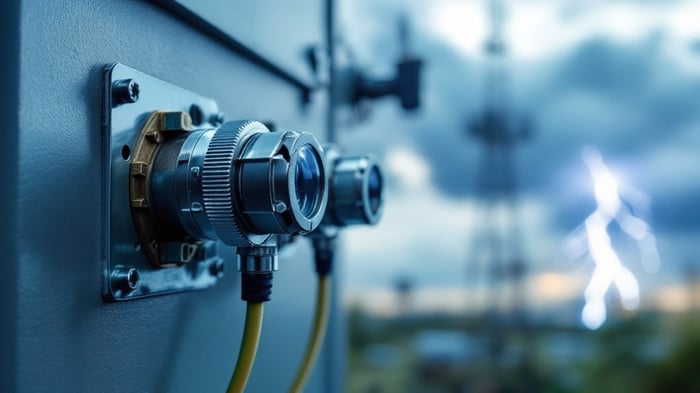
An outdoor antenna and its coax act as an aerial for the huge electromagnetic fields that surround a nearby lightning strike. Even a strike hundreds of feet away can induce a fast, high-voltage transient on the shield and center conductor of your cable. A coax lightning surge protector sits in the feedline — usually where the cable enters the building or at the base of the mast — and provides a low-impedance path to ground for that transient while passing your normal RF signal through with minimal loss.
Two points to be clear about: a surge protector is a bonding and diversion device, not a magic shield. It works only when it is properly grounded, and it complements — never replaces — a correctly grounded mast and feedline. It also does not protect against a direct lightning strike, which carries far more energy than any in-line arrestor can absorb.
How a lightning surge protector fits in the install
The arrestor goes in-line on the coax and bonds to your ground system with a short, thick conductor. The diagram below shows the standard topology for a single antenna line:

Gas discharge tube vs quarter-wave: the two main designs
Almost every coax lightning surge protector uses one of two clamping technologies. The right choice depends on whether your line carries DC (for bias-tee powered antennas, LNAs, or PoE-over-coax) and how tolerant your system is of insertion loss.
Gas discharge tube (GDT)
A GDT arrestor places a sealed spark-gap tube between the center conductor and ground. Under normal operation it is an open circuit and effectively invisible to your signal. When the voltage across it exceeds the tube's breakdown threshold, the gas ionizes and the tube conducts, shunting the surge to ground in nanoseconds, then resets. GDT designs are broadband (typically DC to several GHz), pass DC through the line, and are the default choice for cellular, WiFi, GPS, and IoT feedlines. The GDT is usually a replaceable cartridge — a spent tube after a heavy surge event is a cheap swap rather than a whole-unit replacement.
Quarter-wave (DC-blocking) stub
A quarter-wave arrestor uses a shorted stub cut to a quarter wavelength of the operating band. At the design frequency the stub looks like an open circuit to your RF; at DC and low frequencies (where lightning energy concentrates) it is a dead short to ground. These handle very high surge currents and have excellent long-term reliability, but they are band-limited and block DC, so they will not work on a line that must pass bias voltage to a powered antenna. Use them for single-band, high-power, DC-free links.
Specs to verify before you buy a lightning surge protector
Match these to your system. Do not assume — check the manufacturer's datasheet for the exact figures, because insertion loss and surge ratings vary between models.
| Spec | What to check | Typical target |
|---|---|---|
| Frequency range | Must cover your operating band(s) | GDT: DC–3 GHz or DC–6 GHz broadband; quarter-wave: single band |
| Impedance | Match your system | 50 ohm for WiFi/cellular/IoT; 75 ohm for CATV/TV |
| Connectors | Match radio and coax on both ports | N-type, SMA, RP-SMA, TNC — verify gender each end |
| Insertion loss | Adds to your link budget | Often ≤0.1–0.3 dB at design frequency (verify per model) |
| VSWR | Reflection introduced in-line | Low (e.g. ≤1.1–1.3:1) at operating band |
| Surge current rating | Peak current it can divert (8/20 µs waveform) | Commonly rated in kA — higher is better for exposed sites |
| Power handling | Max RF power through-line | Confirm it exceeds your transmit power |
| DC pass / block | Does the line carry bias/PoE-over-coax? | GDT passes DC; quarter-wave blocks it |
| Weatherproofing | Outdoor vs indoor mounting | IP-rated body + weatherproof the connectors if outdoors |
Impedance and connector matching
A surge protector is just another link in the RF chain, so it must share your system impedance — 50 ohm for virtually all WiFi, cellular, LoRa, GPS, and two-way radio work. Its connectors also have to match what's on your coax and radio. If your feedline uses N-type and your radio uses SMA, you either pick an arrestor with the right connector on each port or add a short jumper — every extra connector pair adds a little loss and one more thing to weatherproof. For a refresher on picking the right interface, see our guide to antenna connector types (SMA, N-type, TNC, U.FL and more).
Where to mount it and how to ground it
Placement and grounding are what make a lightning surge protector effective — a perfectly specced arrestor with a poor ground does almost nothing. Follow these principles:
- Mount at the point the coax enters the building (a bulkhead/entry panel), or at the base of the mast, so the surge is diverted before the cable runs near your electronics.
- Bond to a single-point ground. Connect the arrestor to a ground bar with the shortest, thickest, straightest conductor you can — surges hate bends and length. Tie the mast, the arrestor, and the building electrical ground to the same reference to avoid ground loops and dangerous potential differences.
- Keep the ground lead short and low-inductance. Every foot and every sharp bend adds inductance, which raises the voltage the surge develops before it clears.
- Weatherproof outdoor connectors with self-amalgamating tape or heat-shrink so moisture doesn't degrade the joint and raise VSWR over time.
The arrestor is one layer of a complete grounding scheme. For the full picture on bonding feedlines and why it protects both gear and signal quality, read our detailed article on grounding of antenna cables. And because surges are not the only electrical threat to your gear, our overview of electrostatic discharge (ESD) impact on networking gear explains why a surge protector alone won't stop static that originates from handling and contact.
Choosing by application
WiFi and outdoor point-to-point links
Use a broadband 50-ohm GDT arrestor rated through 6 GHz with the connector type your radios use (often N-type or RP-SMA). Insertion loss matters here because outdoor PtP links are already fighting a tight link budget. If you're planning a long outdoor run, our antenna mount guide covers the mast and bracket side of the same install.
Cellular / LTE / 5G and IoT gateways
These frequently power an amplifier or antenna over the coax, so choose a DC-passing GDT unit that covers all your bands. Confirm the surge protector's frequency range spans the low bands (600–700 MHz) and the mid/high bands your carrier uses.
GPS and other low-power receive lines
GPS active antennas need DC bias to the LNA, so use a GDT (DC-pass) arrestor and watch insertion loss, since the received satellite signal is already extremely weak.
Don't forget the cable
A surge protector adds connectors to your line, so pair it with quality low-loss coax cut to length. Data Alliance custom-manufactures 50-ohm antenna cable assemblies with the exact connectors and lengths your install needs — see our antenna cable selection guide to match coax type, connector and length to your link budget, then browse and order at Antenna Cables & Adapters. For antenna and outdoor-link hardware, start at WiFi Antennas. Need a specific connector combination or surge-protection configuration? Request a custom quote or contact technical support and we'll spec it with you.
Frequently asked questions
Does a lightning surge protector stop a direct lightning strike?
No. An in-line coax surge protector diverts induced transients and static from nearby strikes and normal atmospheric buildup. A direct strike to the antenna or mast carries far more energy than any arrestor can absorb; protection against that relies on the tower's own grounding, air terminals, and structural bonding. The surge protector is one layer in that larger system.
Where should the surge protector be installed?
At the point where the coax enters the building (on a bulkhead or entry panel) or at the base of the mast, bonded to your single-point ground with the shortest, thickest conductor practical. The goal is to divert the surge to ground before the cable runs near your radio or router.
GDT or quarter-wave — which should I choose?
Choose a gas discharge tube (GDT) arrestor for broadband coverage and when the line must pass DC (powered antennas, LNAs, bias tees) — this covers most WiFi, cellular, GPS and IoT installs. Choose a quarter-wave arrestor for single-band, high-power, DC-free links where you want maximum surge-current handling and long-term reliability.
Will a surge protector reduce my signal?
A well-matched arrestor adds only a small insertion loss — often a fraction of a dB at its design frequency — plus the loss of the extra connector pair. Verify the insertion loss and VSWR figures on the specific model's datasheet, and factor them into your link budget on marginal outdoor links.
Does the surge protector need its own ground?
It must be bonded to the same single-point ground as your mast and building electrical ground, not to a separate, isolated rod. Tying everything to one ground reference prevents ground loops and dangerous voltage differences between systems during a surge.
What connector and impedance do I need?
Match your system: 50 ohm for WiFi, cellular, LoRa, GPS and two-way radio (75 ohm only for CATV/TV), with connectors that match both your coax and radio — commonly N-type, SMA, RP-SMA or TNC. Verify the gender on each port before ordering.