



Antennas, Antenna Cables, Wireless Products: Technical Articles
Wi-Fi 5 vs. Wi-Fi 6 vs. Wi-Fi 6E vs. Wi-Fi 7: Which One Should You Actually Deploy?
Table of Contents
Most comparisons of Wi-Fi generations are a speed ladder: 3.5 Gbps, then 9.6, then 46, pick the big number. That framing has been wrong since roughly 2019, and following it leads people to buy the wrong equipment.
Here's the more useful frame. Wi-Fi 5 was the last generation primarily about raw speed. Everything since has been about something else entirely: how many devices can share the air at once without stepping on each other. Wi-Fi 6 didn't get faster in any way you'd notice with one laptop in an empty house — it got dramatically better with forty devices in a crowded office. Wi-Fi 6E didn't add features at all; it added room. Wi-Fi 7 added the ability to stop betting everything on a single link.
So the question isn't "which is fastest." It's "what is actually breaking in my deployment, and which generation fixes that?" Sometimes the answer is that nothing is breaking and you should keep what you have.
Wi-Fi 5 (802.11ac): The Speed Generation
Ratified in 2013, Wi-Fi 5 was the last clean throughput story.
What it brought: operation exclusively in 5 GHz, channel widths up to 80 MHz (and 160 MHz in Wave 2), 256-QAM modulation, up to 8 spatial streams, and downlink MU-MIMO. Peak rate around 3.5 Gbps in configurations nobody shipped.
What it solved: it got you off the wreckage of 2.4 GHz and onto wider channels. For its era, that was enough.
Where it falls over: contention. Wi-Fi 5 has no mechanism for sharing a channel efficiently among many clients. Each transmission occupies the whole channel for its duration, so devices queue. One slow client transmitting at a low rate holds the channel and drags everyone down — the classic airtime fairness problem. Its MU-MIMO is downlink-only, so uplink is strictly one client at a time. And with 5 GHz now saturated in any dense area, the band that was its advantage is now its constraint.
Still fine for: low-density installations with modest client counts and no latency sensitivity. A small office with a dozen devices and a 300 Mbps internet connection is not being held back by 802.11ac.
Wi-Fi 6 (802.11ax): The Efficiency Pivot
This is where the industry changed the question it was answering.
What it brought:
- OFDMA — the important one. The channel subdivides into Resource Units, and the AP serves multiple clients within a single transmission. Instead of forty devices taking turns with the whole channel, they share it simultaneously. This is the single largest architectural improvement since 802.11n.
- Uplink MU-MIMO — clients transmit concurrently, not just receive.
- BSS Coloring — frames get tagged with a network identifier, so an AP can distinguish "my network is busy" from "the neighbor's network is busy" and transmit anyway instead of deferring. In apartment buildings and adjacent offices this is worth more than any speed figure.
- Target Wake Time (TWT) — devices schedule when to wake, which meaningfully extends battery life for IoT sensors and phones.
- 1024-QAM — 10 bits per subcarrier, ~25% raw gain over 256-QAM.
What it solved: density. Not speed — density.
The honest limitation: Wi-Fi 6 still lives in 2.4 and 5 GHz. All that efficiency operates inside spectrum that's already congested, and it still has to coexist with every legacy device on the band. It manages the crowd better. It doesn't leave the crowd.
Peak rate: 9.6 Gbps theoretical, ~1.2 Gbps for a realistic 2×2 client.
Wi-Fi 6E: Same Standard, New Spectrum
The most misunderstood entry on the list, because it isn't a standard at all. Wi-Fi 6E is 802.11ax with access to the 6 GHz band. Identical features, identical modulation, identical everything. The only change is where it runs.
That change is larger than it sounds. Where regulators have opened the full band, 6 GHz offers 1200 MHz of spectrum — roughly triple what 5 GHz provides — including up to seven additional 160 MHz channels. And it has a property no other Wi-Fi band has ever had: no legacy devices. Nothing older than Wi-Fi 6E can physically see 6 GHz. No 802.11b client from 2003 is going to occupy your channel at 1 Mbps, because it cannot tune there.
For years the strongest argument for 6E was that clean spectrum beats clever spectrum-sharing. Give Wi-Fi 6's efficiency features room to breathe and you get most of the practical benefit without the price of a new standard.
That argument has weakened considerably, and the market data is blunt about it. In IDC's Q1 2026 figures, Wi-Fi 6E accounts for just 20% of enterprise access point revenue, and IDC characterizes both Wi-Fi 6 and 6E as now being driven by refresh, mid-market, and value deployments rather than strategic ones. 6E turned out to be a transitional generation. Its window is closing.
Wi-Fi 7 (802.11be): Beyond the Single Link
Covered in depth elsewhere — [LINK: Wi-Fi 7 Explained] — so the summary version:
- 320 MHz channels, double Wi-Fi 6E's 160 MHz, available only in 6 GHz and only where regulators released the full band
- 4096-QAM, 12 bits per subcarrier, ~20% raw gain — but requiring roughly 42 dB SNR, which in practice means a client within a few feet of the AP
- Multi-Link Operation (MLO) — a single association spanning multiple bands simultaneously, the first break from one-link-at-a-time since 802.11a
- Preamble puncturing — using a wide channel even when part of it is occupied, instead of abandoning the whole thing
- 16×16 MU-MIMO — theoretical, and not shipping in anything you'll buy soon
What it solves: determinism. MLO is the reason to deploy Wi-Fi 7, and it's the feature that works regardless of your regulatory situation. The 46 Gbps headline is arithmetic, not a product.
The market has moved decisively. Wi-Fi 7 took 44.5% of enterprise access point revenue in Q1 2026 — up from a standing start — while Wi-Fi 6 fell from 54.4% to 34.8% in a single year. IDC calls it one of the faster standard transitions they've tracked in enterprise WLAN, and attributes it largely to latency demands and MLO capabilities that earlier standards can't deliver at scale.
The Comparison Table
| Wi-Fi 5 (802.11ac) | Wi-Fi 6 (802.11ax) | Wi-Fi 6E | Wi-Fi 7 (802.11be) | |
|---|---|---|---|---|
| Bands | 5 GHz only | 2.4 / 5 GHz | 2.4 / 5 / 6 GHz | 2.4 / 5 / 6 GHz |
| Max channel width | 80 MHz (160 in Wave 2) | 160 MHz | 160 MHz | 320 MHz (6 GHz only) |
| Modulation | 256-QAM (8 bits) | 1024-QAM (10 bits) | 1024-QAM (10 bits) | 4096-QAM (12 bits, optional) |
| SNR for top MCS | ~25 dB | ~31 dB | ~31 dB | ~42 dB |
| Spatial streams | 8×8, downlink MU-MIMO | 8×8, up + downlink | 8×8, up + downlink | 16×16 |
| OFDMA | No | Yes | Yes | Yes, plus Multi-RU |
| Multi-link | No | No | No | Yes (MLO) |
| Preamble puncturing | No | Limited | Limited | Full |
| BSS Coloring / TWT | No | Yes | Yes | Yes |
| Theoretical peak | ~3.5 Gbps | 9.6 Gbps | 9.6 Gbps | ~46 Gbps |
| Realistic 2×2 client | ~800 Mbps | ~1.2 Gbps | ~2 Gbps | ~2 Gbps (5.76 theoretical) |
| Primary problem solved | Raw throughput | Density | Congestion | Latency / reliability |
The Upgrade Paths
The table tells you what's different. This tells you what to do.
From Wi-Fi 5 → go to Wi-Fi 7
Don't stop at 6 or 6E. If you're still on 802.11ac, you're two to three generations back and the incremental options aren't worth the labor of touching every AP mount twice. The jump from 5 to 7 gets you OFDMA, BSS coloring, 6 GHz access, and MLO in one visit — and you're specifying RF infrastructure that stays current for years rather than something you'll revisit in 2028.
The one exception: if budget is genuinely fixed and the deployment is low-density, Wi-Fi 6 is a legitimate, cheap, well-supported landing spot. Just make the choice deliberately rather than by default.
From Wi-Fi 6 → Wi-Fi 7, usually
The instinct is to consider 6E as the cheaper middle step. In 2026, that's a weaker play than it looks. The 6E segment is contracting, vendor attention has moved on, and you'd be buying into a transitional generation on its way out. Meanwhile the Wi-Fi 7 price premium — 30–50% over comparable 6E hardware — is shrinking fast, with IDC reporting a 38% year-over-year drop in Wi-Fi 7 AP pricing.
The real question is whether you need to move at all. If your Wi-Fi 6 deployment isn't struggling, it isn't struggling. OFDMA and BSS coloring are still doing real work. Wait for the refresh cycle.
Move now if any of these are true: you have latency-sensitive applications, you're seeing congestion that OFDMA can't absorb, or you're in a market with full 6 GHz allocation and simply have no spectrum left in 5 GHz.
From Wi-Fi 6E → Wi-Fi 7 only for MLO
This is the least urgent upgrade on the list, and the one most often oversold.
You already have 6 GHz. You already have clean spectrum. What Wi-Fi 7 adds on top is 320 MHz channels — which you can use on exactly one to three channels depending on your country and power class — plus 4K-QAM, which will rarely engage, plus MLO.
MLO is the whole case. If deterministic latency matters to your deployment, it justifies the upgrade by itself. If it doesn't, your 6E infrastructure is fine and you should spend the money elsewhere.
The skip-a-generation rule
Every jump means touching the AP, and often the antenna and the feedline. The labor doesn't scale down for a smaller upgrade. When the physical work is the same either way, buy the further generation.
What Changes on the RF Side
This is the part upgrade guides omit, and it's where deployments quietly underperform.
Wi-Fi 5 → Wi-Fi 6: often antenna-compatible. Both operate in 2.4/5 GHz. Existing antennas and cable may carry over. Note "may" — Wi-Fi 6's 1024-QAM needs ~31 dB SNR versus 256-QAM's ~25 dB, so a marginal RF path that was adequate for Wi-Fi 5 can cost you the top MCS rates on Wi-Fi 6. The link works; the headline rate doesn't.
Anything → Wi-Fi 6E or Wi-Fi 7: not compatible. This is the hard break, and it catches people.
- Your 5 GHz antennas are not 6 GHz antennas. A 2.4/5 GHz dual-band element does not cover 5925–7125 MHz because 6 GHz happens to be adjacent. Outside its designed band, return loss degrades, VSWR climbs, and the pattern distorts. You'll get a link and lose the SNR headroom the new features depend on. Check the datasheet covers the full 6 GHz range. [LINK: 6 GHz / Wi-Fi 7 antennas]
- Cable loss rises with frequency. Coax that was acceptable at 2.4 GHz is measurably worse at 6 GHz over the same run. Every dB in the feedline comes straight off your SNR budget — and Wi-Fi 7's 4K-QAM budget has no slack at all. Two fixes: lower-loss cable, shorter runs. [LINK: low-loss coaxial cable assemblies]
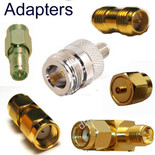
- Connectors matter more at 6 GHz. Loss and reflection scale with frequency, and 802.11be tightened the transmit EVM requirement to −38 dB — 3 dB stricter than Wi-Fi 6. Marginal connectors that passed at 2.4 GHz become a real budget line. [LINK: RF connectors and adapters]
- MLO raises the isolation bar. Wi-Fi 7 means multiple radios transmitting simultaneously from one enclosure across adjacent bands. Insufficient isolation between chains turns your own radio into your noise source — a failure mode that simply didn't exist before MLO. [LINK: MIMO antennas]
The through-line: each generation since Wi-Fi 5 has raised the SNR bar, and every generation from 6E on requires physically different antennas. Wi-Fi 7 on Wi-Fi 5-era RF infrastructure will deliver approximately Wi-Fi 6 performance, silently, with no error message to tell you why.
The Verdict by Deployment Type
Typical home. Wi-Fi 6 is almost certainly enough. If your internet service is 500 Mbps, every generation on this list already exceeds your WAN link — the bottleneck is upstream and no AP fixes it. Wi-Fi 7 in a house is a purchase, not an upgrade.
Small business / SMB. Wi-Fi 6 if the client count is modest. Wi-Fi 7 if you're growing, in a dense building, or replacing 802.11ac anyway.
Dense enterprise. Wi-Fi 7. The market has already decided this one. MLO and puncturing address contention, which is the actual failure mode in conference rooms, open offices, and lecture halls. IDC's guidance — prioritize Wi-Fi 7 in high-density areas while leaving existing 6/6E infrastructure in lower-demand zones — is sound. Mixed environments are normal and will be for years.
Industrial / low-latency. Wi-Fi 7, specifically for MLO. Deterministic latency is the requirement, and no earlier generation offers a mechanism for it. This is the clearest case on the list.
Outdoor / point-to-point. Proceed carefully. 6 GHz Standard Power requires AFC coordination, and channel availability is genuinely limited — one 320 MHz channel in the US, two in Canada. Longer cable runs make the frequency-dependent loss penalty worse. Wi-Fi 6 in 5 GHz often remains the pragmatic choice, and the RF path deserves more attention than the standard does.
Data Alliance supplies 6 GHz-capable Wi-Fi antennas, low-loss coaxial cable assemblies, MIMO antennas, and RF connectors for Wi-Fi 6, 6E, and Wi-Fi 7 deployments. [LINK: contact / product category]
FAQs
Is it worth skipping Wi-Fi 6E and going straight to Wi-Fi 7?
In most cases now, yes. The logic that once favored 6E — same features, cheaper, clean 6 GHz spectrum — has eroded from both ends. 6E is down to about 20% of enterprise access point revenue and is increasingly a value and refresh play rather than a strategic one, while the Wi-Fi 7 price premium over comparable 6E hardware has been falling fast, with roughly a 38% year-over-year drop in Wi-Fi 7 AP pricing. Buying 6E in 2026 means buying into a transitional generation as vendor attention moves elsewhere. The exception is if you find heavily discounted 6E stock and MLO genuinely doesn't matter to your deployment.
What's the actual difference between Wi-Fi 6 and Wi-Fi 6E?
None, at the standard level — and this trips people up constantly. Wi-Fi 6E is Wi-Fi 6. Identical standard (802.11ax), identical features, identical modulation. The only difference is that a 6E device can also operate in the 6 GHz band. That's it. What makes it significant isn't new capability but new room: where regulators opened the full band, 6 GHz offers roughly triple the spectrum of 5 GHz, and no device older than Wi-Fi 6E can physically tune there. The benefit is clean air, not better technology.
I have Wi-Fi 6 and it works fine. Should I upgrade?
Probably not yet. If your Wi-Fi 6 deployment isn't struggling, it isn't struggling — OFDMA and BSS coloring are still doing real work, and Wi-Fi 7 doesn't fix problems you don't have. Wait for your normal refresh cycle. Move sooner only if something specific applies: you have latency-sensitive applications that need MLO, you're seeing congestion that OFDMA can't absorb, or you're in a full-6-GHz market and have genuinely run out of 5 GHz spectrum. "Newer" is not a reason.
Will Wi-Fi 7 fix my slow internet?
Almost certainly not, and this is the most common misunderstanding in the category. Wi-Fi speed and internet speed are different things. If your service is 500 Mbps, even Wi-Fi 5 already exceeds your WAN link — the bottleneck is upstream of your router and no access point can change it. Upgrading Wi-Fi helps when the problem is inside your network: too many devices contending, congestion from neighboring networks, dead zones, or latency spikes under load. If a single device is slow in an otherwise quiet house, the problem is your ISP or your RF path, not your Wi-Fi generation.
Do I need new antennas when upgrading, or can I reuse my existing RF infrastructure?
It depends entirely on which jump you're making. Wi-Fi 5 to Wi-Fi 6 stays in 2.4/5 GHz, so existing antennas and cable often carry over — though Wi-Fi 6's 1024-QAM needs roughly 31 dB SNR versus 256-QAM's 25 dB, so a marginal RF path may cost you the top rates. Moving to Wi-Fi 6E or Wi-Fi 7 is a hard break: those need 6 GHz coverage, and a 2.4/5 GHz antenna doesn't provide it just because 6 GHz sits nearby. Cable loss also rises with frequency, so a run that was fine at 2.4 GHz costs you more at 6 GHz. Budget for new antennas and possibly new feedline on any jump to 6 GHz.